



Transfer an RPD for OBIEE with a web browser
Overview
The blog discusses how to download and upload the Repository Database (RPD) for Oracle Business Intelligence Enterprise Edition (OBIEE) 12C by using HTML code in your web browser. You usually deploy an RPD by logging in to an OBIEE application server and running the datamodel command. You need to place the RPD on the OBIEE app server and run datamodel to download or upload the RPD. However, you can instead directly upload and download the RPD from your local machine by following the method described in this post.
Download an RPD
To download an RPD, perform the following steps:
1. Save the following code as an .html file and open it in a browser.
<html>
<body>
<FORM action=”https://hostname:9503/bi-lcm/v1/si/ssi/rpd/downloadrpd”
method=”post” target=_blank>
<P>
New password for downloaded RPD file? <INPUT type=”password” name=”target-password”><BR>
<INPUT type=”submit” value=”Send”> <INPUT type=”reset”>
</FORM>
</body>
</html>
You should see a response similar to the following image:

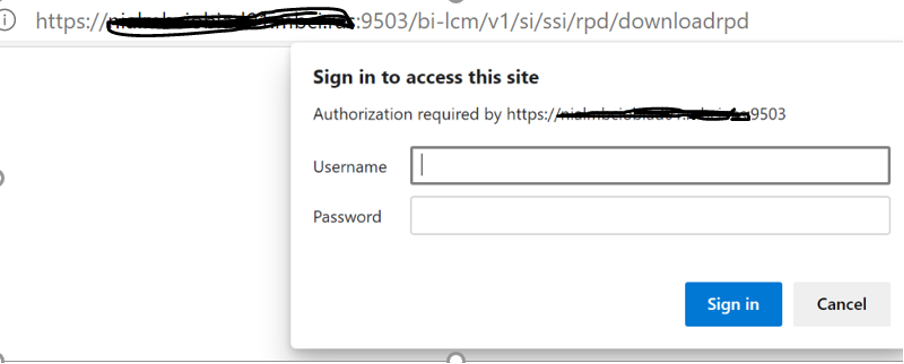
2. Enter the rpd password, and it prompts you for the OBIEE admin username and password, as shown in the following image:
3. Enter the Weblogic username and password to download the live RPD.
Upload an RPD
To upload an RPD, perform the following steps:
1. Save the following code as an **.html** file and open it in a browser.
<html>
<body>
<FORM action=”https://hostname:9503/bi-lcm/v1/si/ssi/rpd/uploadrpd”
method=”post” enctype=”multipart/form-data” target=_blank>
File to upload <INPUT type=file name=”file”><BR>
Password for uploaded RPD file? <INPUT type=”password” name=”rpd-password”><BR>
<INPUT type=”submit” value=”Send”> <INPUT type=”reset”>
</FORM>
</body>
</html>
You should see a response similar to the following image:

2. Select the required RPD file and enter the RPD password to send the request. The RPD upload successful message should display, as highlighted in yellow in
the following snapshot:

NOTE: Remember to change the hostname and port for your application server.
Conclusion
The method shown in this post is a more straightforward way of downloading or uploading an RPD without logging in to the app server. This script is easy to run and expedites the entire process. This code works for OBIEE 12C and Oracle Analytics Server (OAS) as well. It is a significant improvement over the datamodel script method of deploying RPD files.
Explore Related Articles

Design a Connected Healthcare Cloud for Epic, Data and AI
Explore how a connected healthcare cloud can help you bring Epic, data, analytics and AI together while keeping the environment
Read article

Right Workload, Right Place for Regulated Industries
Strategic workload placement helps regulated organizations maintain control, demonstrate resilience and govern AI in production.
Read article

Governing AI Agents Starts With the Infrastructure Beneath Them
Explore the identity, access, policy and operational controls that help organizations deploy AI agents safely across critical infrastructure.
Read article

The Cyberattacks That Never Cross Your Firewall
Discover how Rackspace Managed Digital Risk Monitoring helps identify threats beyond your network, using human-led intelligence to assess risks and
Read article