



Jenkins X – An opinionated cloud native CI/CD tool (series blog-2)
Introduction
Note: This blog is part 2 of a series of blogs on Jenkins-X. Click here for the first part of this blog series.
As per GitHub’s official documentation, Organizations are shared accounts where businesses and open-source projects can collaborate across many projects at once. Owners and administrators can manage member access to the organization’s data and projects with sophisticated security and administrative features.
Steps to create a GitHub Organization and bot user account
Create a Github Organization
Log in to your existing GitHub account with your credentials
Creating a Kubernetes Cluster on AWS EKS
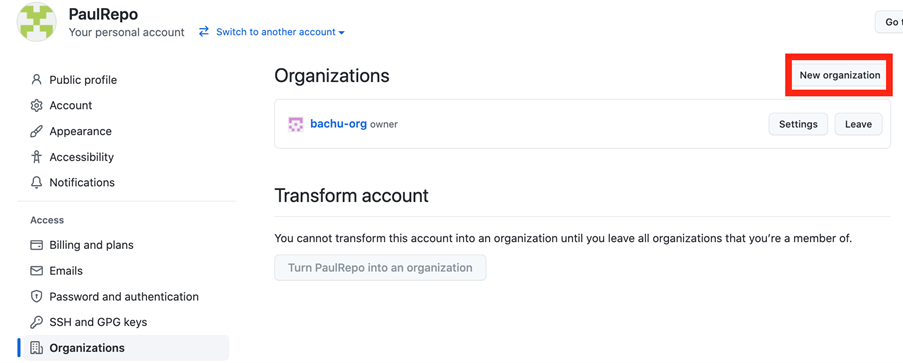
On the top right corner click on your avatar and then go to Your organizations. Click on New Organization
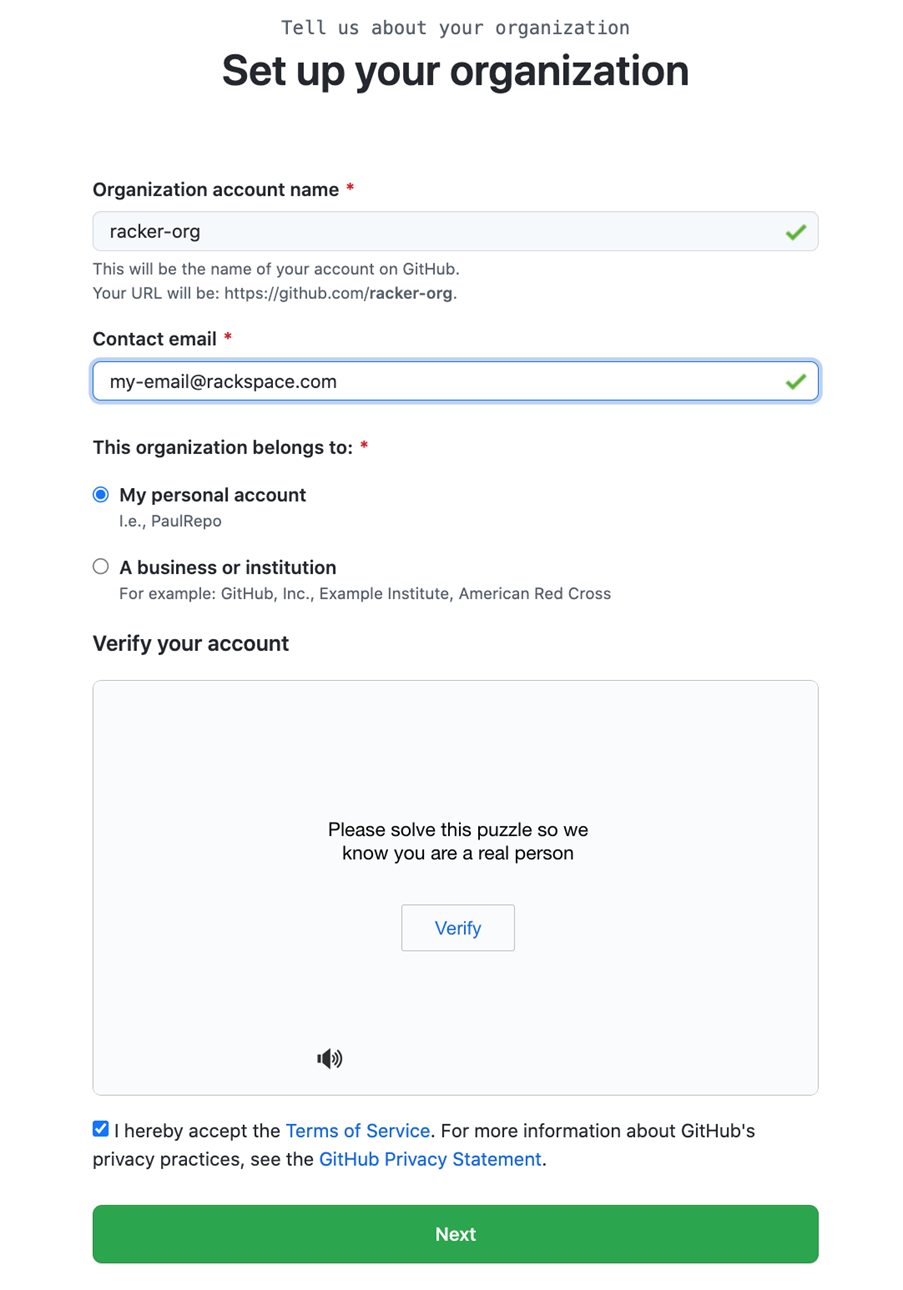
Select to Create a free organization plan then give organization account a name and your contact email. Organization name should be unique.
Solve the generated puzzle to verify yourself as human, accept the terms & conditions and click on Next.
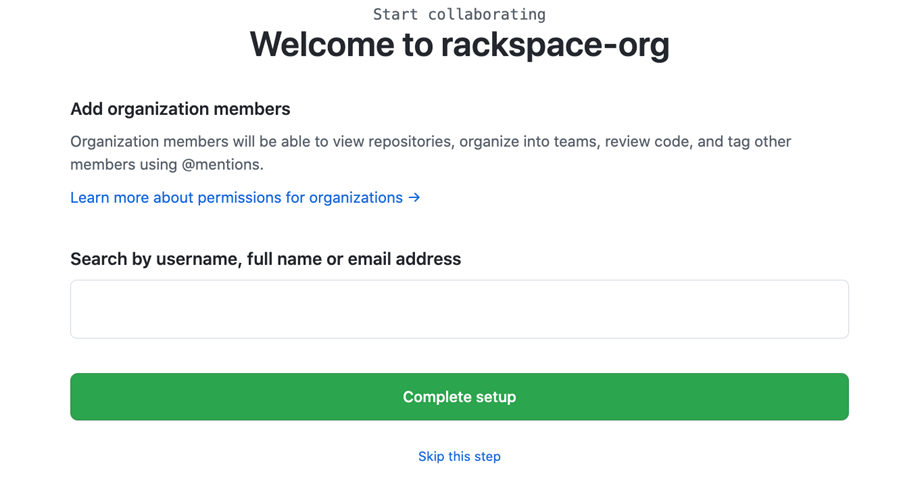
In the next step you need to add your existing GitHub account and then click on Complete Setup, or you can click on Skip this step
Create a GitHub Bot account
Now create a new GitHub user that will act as a bot account.
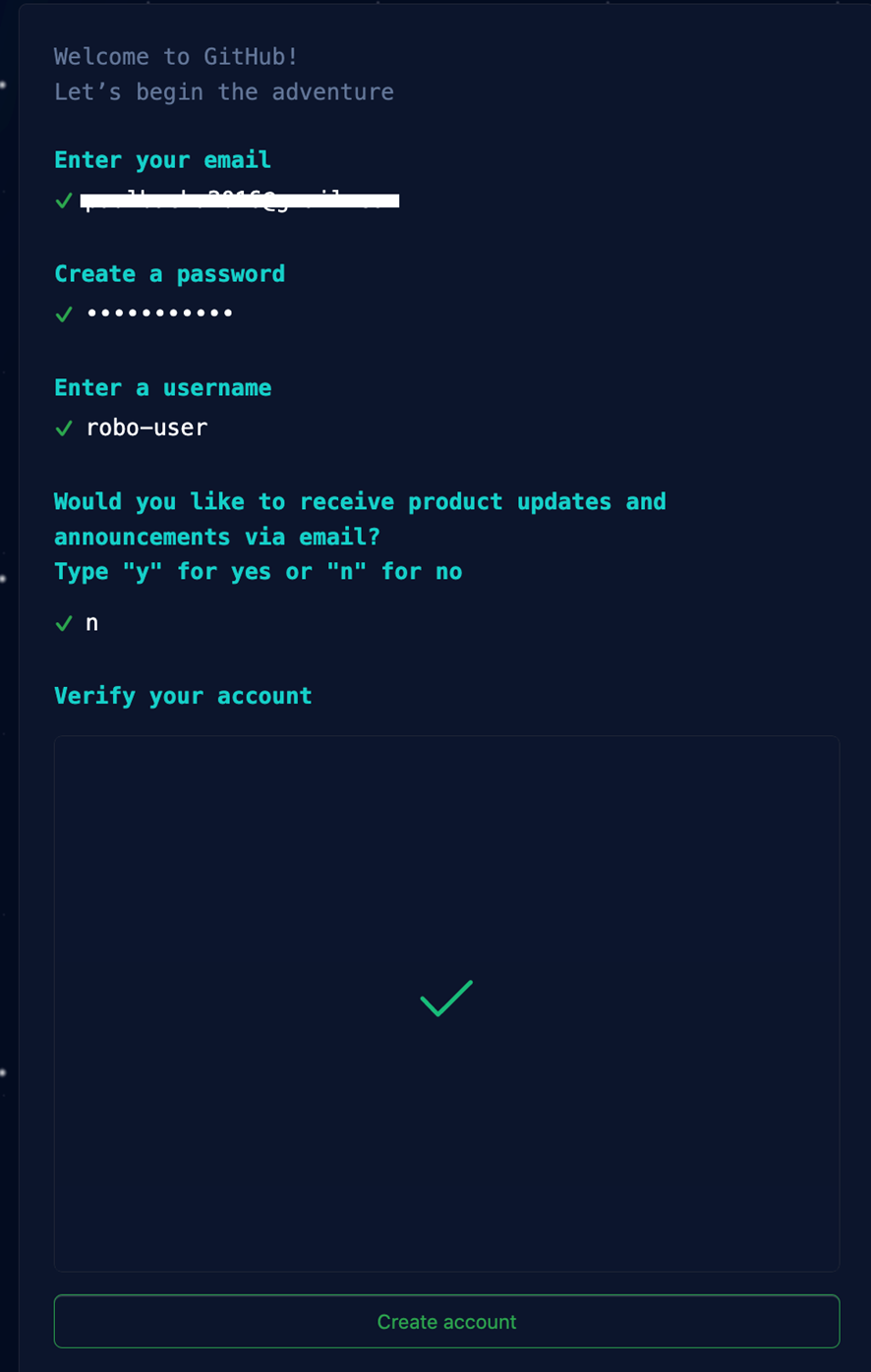
Ensure you give a unique username to the above webpage. Choose default in all the upcoming webpages and one new GitHub user will be created.
Create a personal access token for your new bot user
Make sure you are signed in with your new bot account and then click on this link
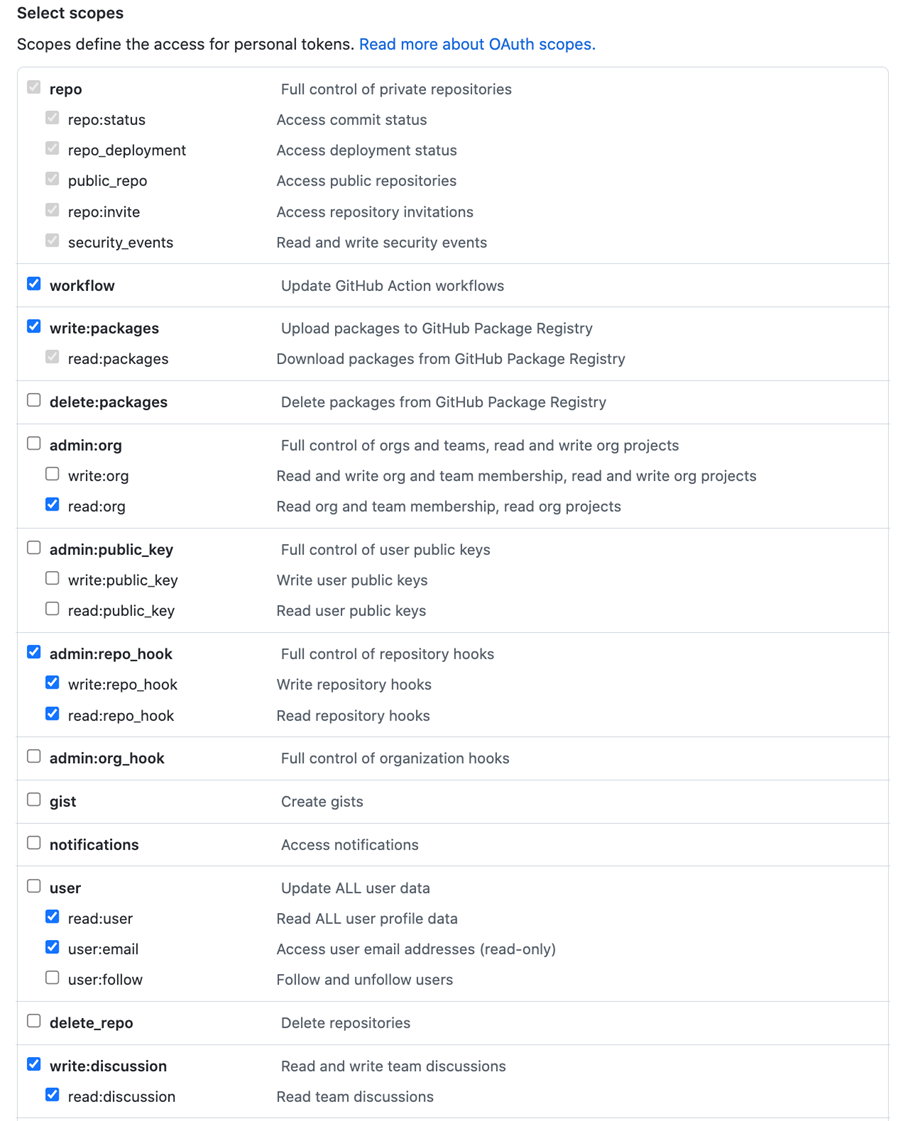
It will ask for the following scopes. Give a suitable Note and Expiration. Finally click on Generate token. Save this token carefully, it may be used during other git operations.
Add bot user to your GitHub organization
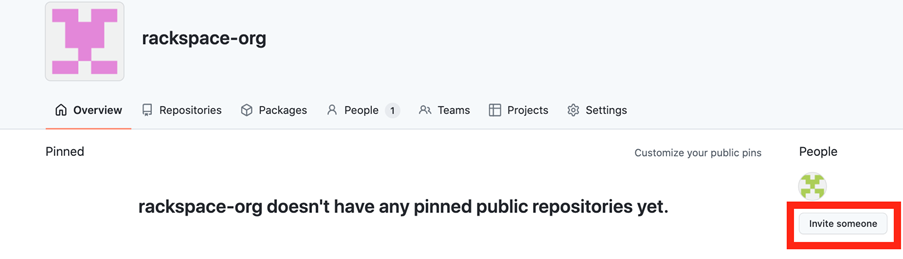
Go to your GitHub organization account and click on Invite someone
Enter your bot account name and click on Invite
Add your bot account as owner in your git organization account and click on send invitation. You will get an invitation link in your bot account’s registered email. Accept the invitation and your bot account is added to your GitHub organization account.
Conclusion
This bot account can be used by any program such as Jenkins X to manage your repositories in your GitHub organization on your behalf.
Explore Related Articles

Design a Connected Healthcare Cloud for Epic, Data and AI
Explore how a connected healthcare cloud can help you bring Epic, data, analytics and AI together while keeping the environment
Read article

Right Workload, Right Place for Regulated Industries
Strategic workload placement helps regulated organizations maintain control, demonstrate resilience and govern AI in production.
Read article

Governing AI Agents Starts With the Infrastructure Beneath Them
Explore the identity, access, policy and operational controls that help organizations deploy AI agents safely across critical infrastructure.
Read article

The Cyberattacks That Never Cross Your Firewall
Discover how Rackspace Managed Digital Risk Monitoring helps identify threats beyond your network, using human-led intelligence to assess risks and
Read article